 Noga CV
Free resume builder with AI, on your phone
Noga CV is a resume builder and CV maker app for Android. You type what you have done in plain words, or import the CV you already have, and the app turns it into a designed one-page resume with AI writing suggestions along the way. This page shows how it works, what it looks like and exactly what is free.
What it does, in 30 seconds
Most resume builders are websites that ask you to sign up before you see anything. Noga CV is an app: open it, pick a design and start writing. There is no account and no password, and your CVs are stored on your phone.
- 34 templates, each in every colour. Sidebar, header, single-column, timeline, cards and editorial layouts. Change the design at any time and your content follows.
- AI writing suggestions. Ask for a profile summary, bullet points for a job, or skills that match a role. Keep what fits, replace or discard the rest.
- Import your old CV. Upload a PDF or DOCX and every field is filled in for you to check.
- A CV score. See which sections are thin or missing before you send it.
- A4 PDF. Download a print-ready PDF and share it straight from your phone to email, WhatsApp or a job portal.
How it works
-
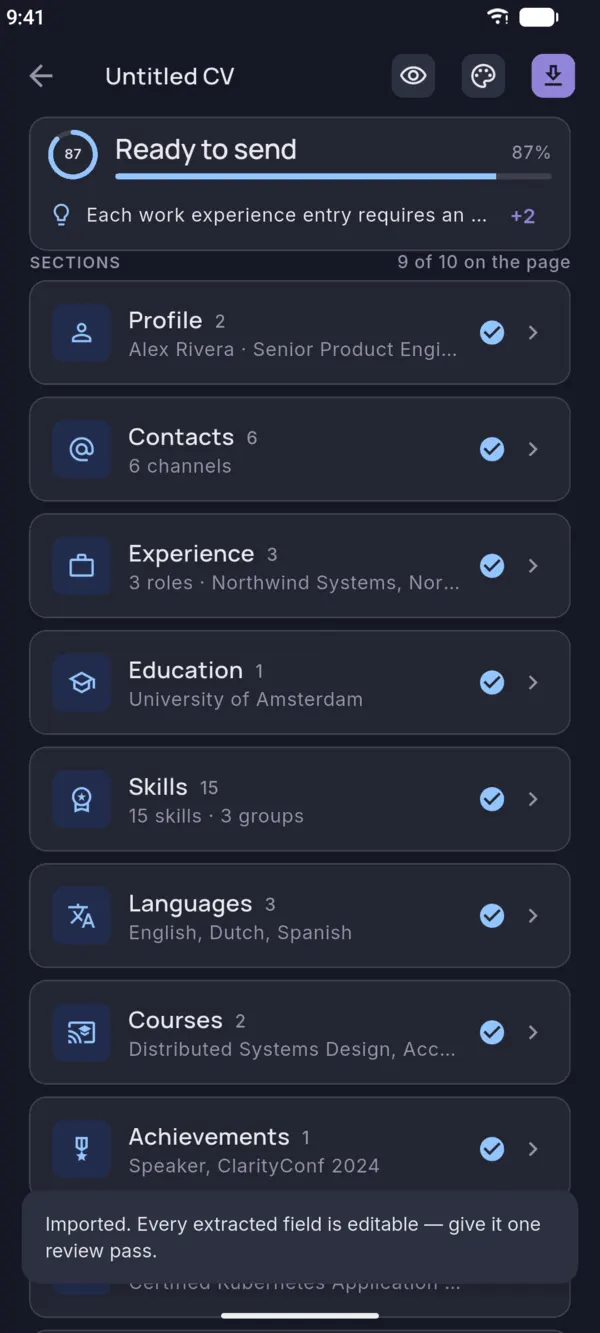
Start or import
Start a new CV and type your details, or import a PDF or DOCX you already have.
-
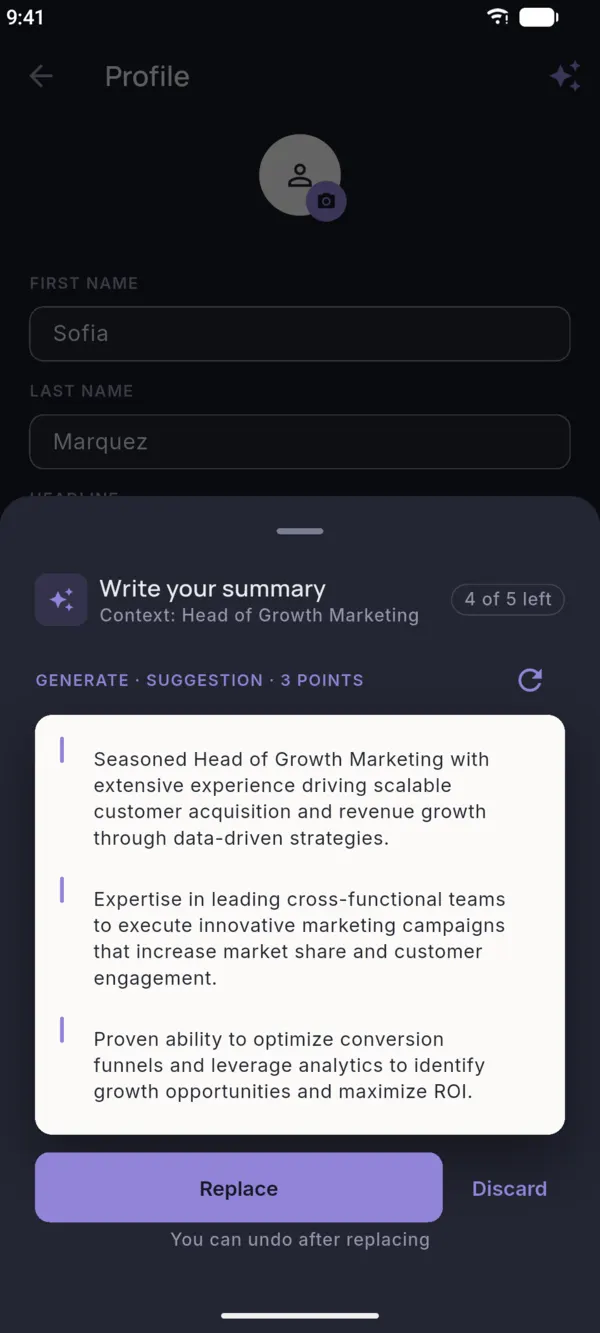
Write with AI suggestions
Ask AI to draft or tighten a section, then choose Replace or Discard.
-
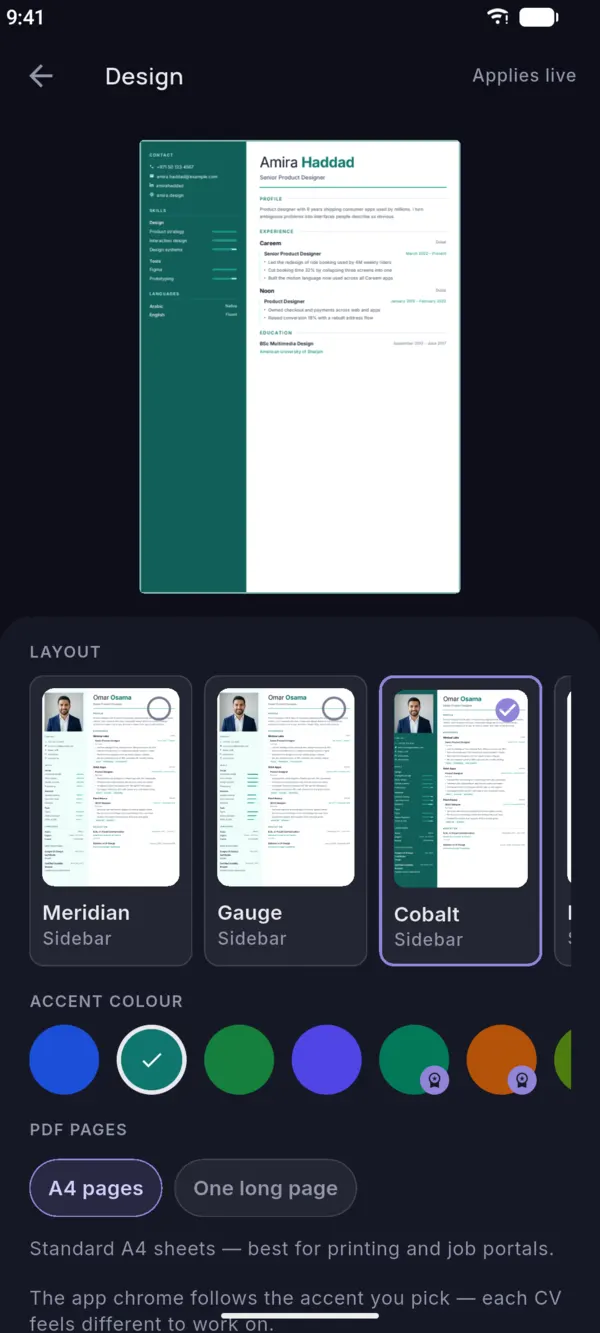
Choose a design
Tap through layouts and colours. The preview updates as you tap.
-
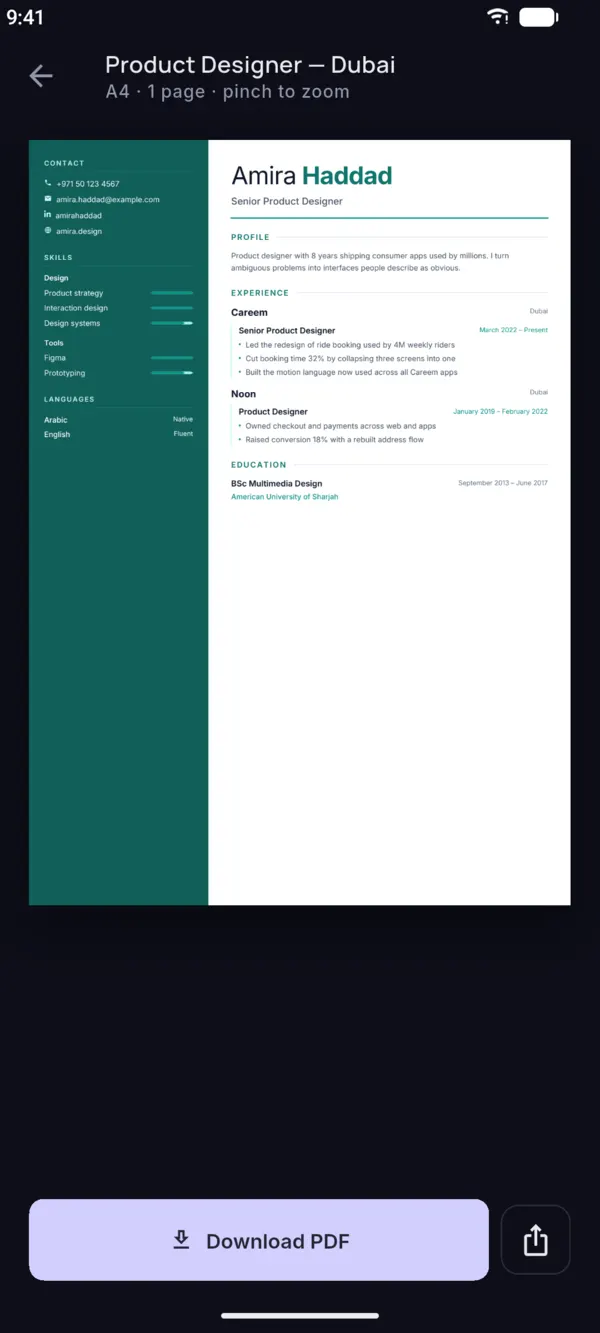
Download the PDF
Check the final page and download your A4 PDF. What you see is what you send.
What your resume can look like
Six of the 34 templates. Each one comes in every accent colour, and switching keeps your text. See all CV templates, or the same designs filled in on resume examples by job.
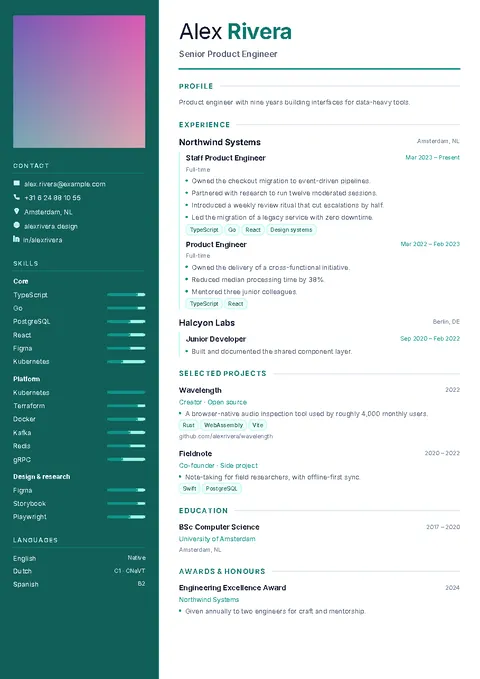 Cobalt
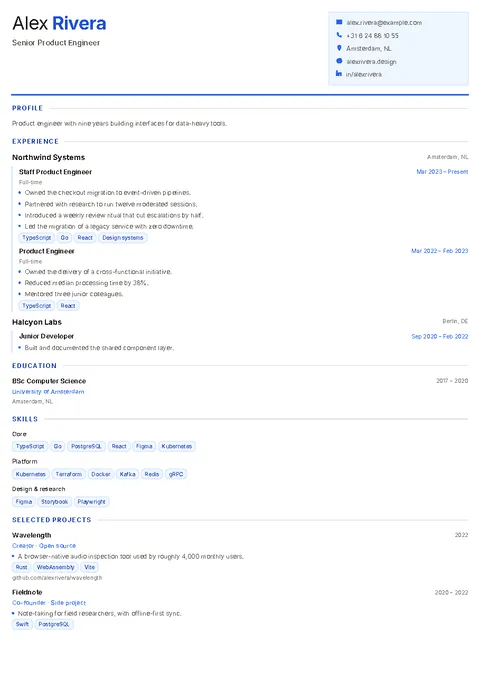 Ledger
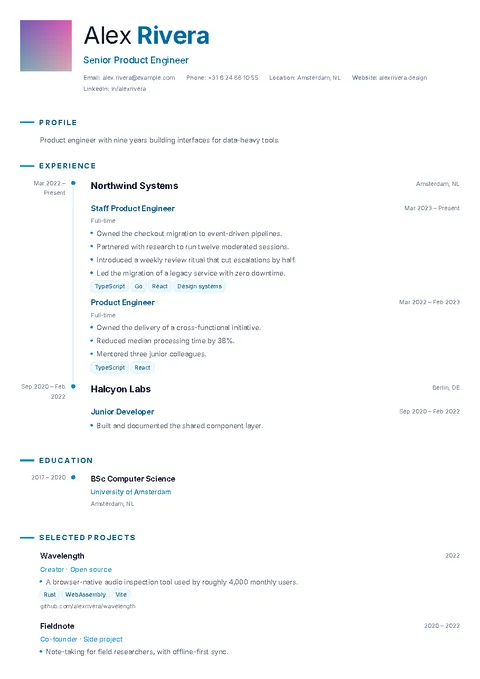 Chronicle
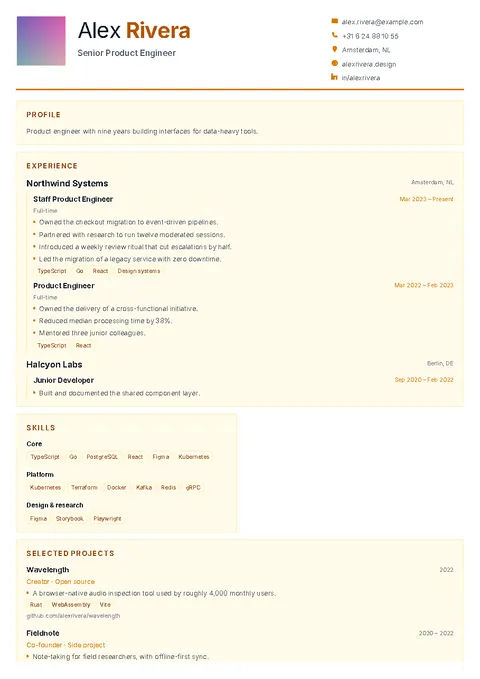 Mosaic
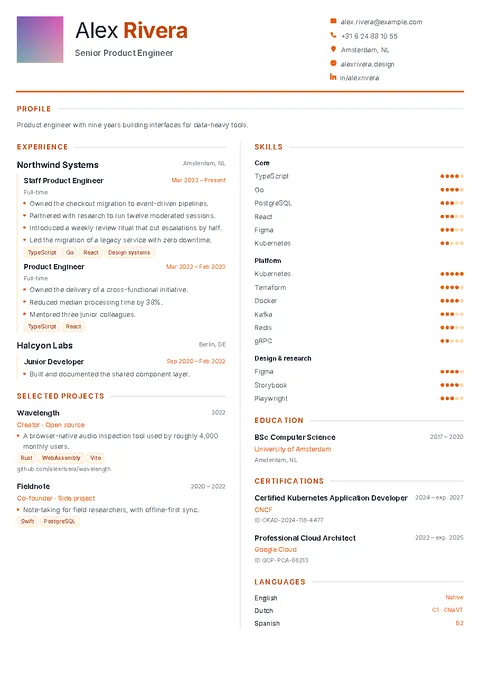 Balance
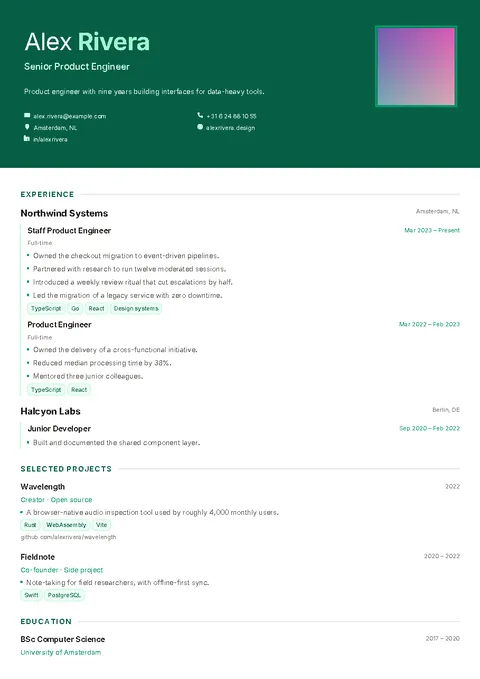 Portrait
Free vs Pro
The free version is a complete resume builder, supported by ads. Pro is an optional monthly or yearly subscription for people who want more designs, more CVs and no ads.
| Feature | Free | Pro |
|---|---|---|
| CVs | 2 | Unlimited |
| Designs | The first 5 templates, 4 colours each | All 34 templates in every colour |
| AI suggestions | 5 every 5 minutes, a short ad before each | 30 every 5 minutes, no ads |
| PDF download | A4, a short ad before each | A4, no ads |
| Import a PDF or DOCX | 1 a week | Unlimited |
| Account needed | No | No |
Only need one CV? Unlock this CV is a one-time purchase that removes the ads and opens every design for that CV. Prices are shown in the app before you buy and depend on your country.
Resume builder or CV maker?
The same thing. In the US people search for a resume builder; in India, the UK and the Gulf they often search for a CV maker or a CV maker app. Outside US academia, a CV and a resume are both a one- or two-page summary of your education, skills and experience for a job application, and Noga CV makes exactly that.
What changes between countries is the content, not the tool. A fresher in Pune leads with education and projects, a nurse in Texas with licences and clinical experience, and an accountant in Riyadh may add a photo. The templates work for all three: you choose which sections to fill and the layout adjusts.
Who it is for
Students and freshers making their first resume, people changing jobs who need a cleaner design than their old Word file, and anyone who would rather finish a CV on the bus than at a desk. If you are not sure what to write, start from a resume example for your job. If you are not sure how to order your sections, read the resume format guide or the guide to a resume for freshers.
Questions
Is the Noga CV resume builder free?
Yes. The app is free to download, and the free version lets you make 2 CVs with the first 5 templates in 4 colours each. AI suggestions and PDF downloads are free with ads: a short ad plays before each one. Pro, a monthly or yearly subscription, removes the ads and opens every template and colour.
Does it work offline?
Partly. Your CVs are stored on your phone, so you can edit them and see the preview without internet, and the PDF is made on your phone. AI suggestions and CV import need a connection. In the free version the short ad before a download also needs a connection; with Pro or an unlocked CV you can download the PDF offline.
Is there an iPhone version?
Not yet. Noga CV is available for Android on Google Play. An iPhone version is planned.
Can applicant tracking systems (ATS) read the PDF?
Yes. The PDF contains real text, not a picture of text, so ATS software can read it. For strict job portals, choose a single-column template and use standard section titles such as Experience, Education and Skills.
Is the app available in Arabic?
The Google Play listing is available in Arabic, but the app interface is in English for now. Read more on the Arabic page.
Which file formats are supported?
You download your resume as an A4 PDF. To import an existing CV, upload a PDF or DOCX file.