CV templates: 34 layouts in 9 families
Every template in Noga CV comes in several colors, and you can switch layout or color at any time without retyping your content. Here are the nine families, with real pages made in the app.
-
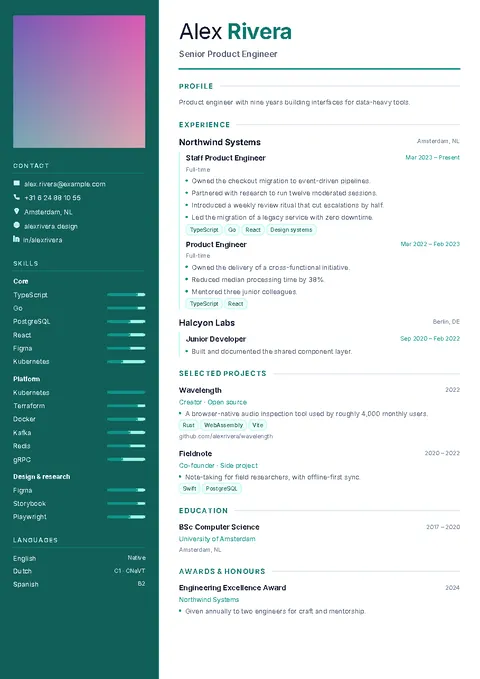
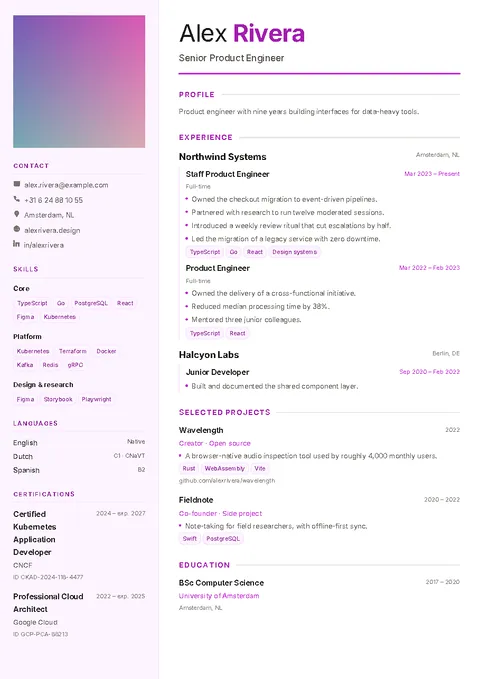
Sidebar
8 templates
A tinted side column holds your contact details, skills and languages, and the main column holds your experience. A good fit when you have many skills to show. Launchpad, one of the sidebar layouts, is made for a first CV.
Meridian, Gauge, Cobalt, Reverso, Verdant, Nocturne, Graphite, Launchpad
-
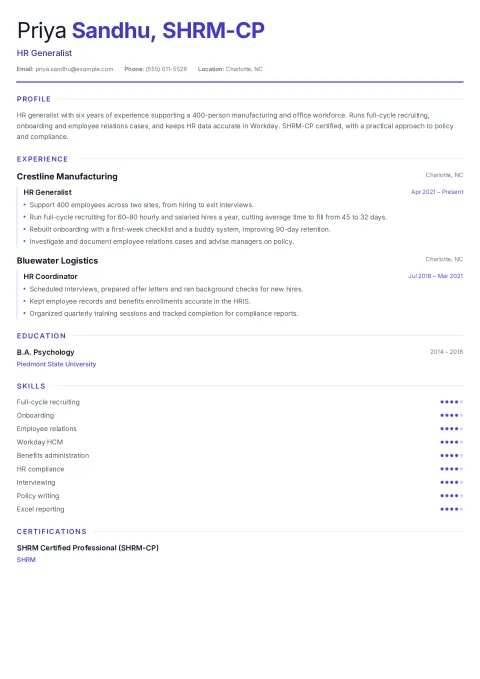
Single column
6 templates
Your name and contacts at the top, then every section in one full-width column. Simple to read on screen and on paper, and the plainest choice when you apply through online job portals.
Plainspoken, Quill, Underline, Compendium, Whitespace, Hairline
-
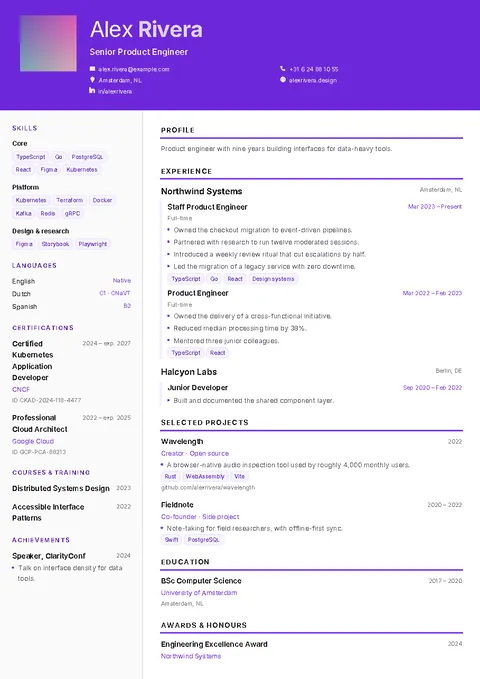
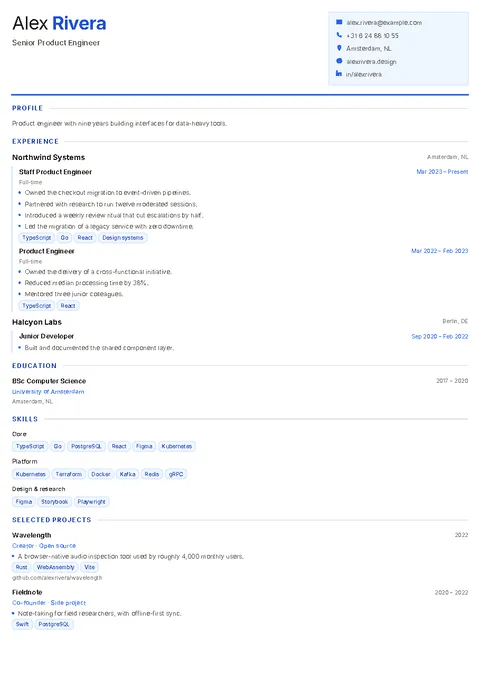
Header
4 templates
A strong band across the top carries your name, job title and contacts, with the rest of the page below it. It makes your name the first thing the reader sees.
Banner, Dawn, Eclipse, Ledger
-
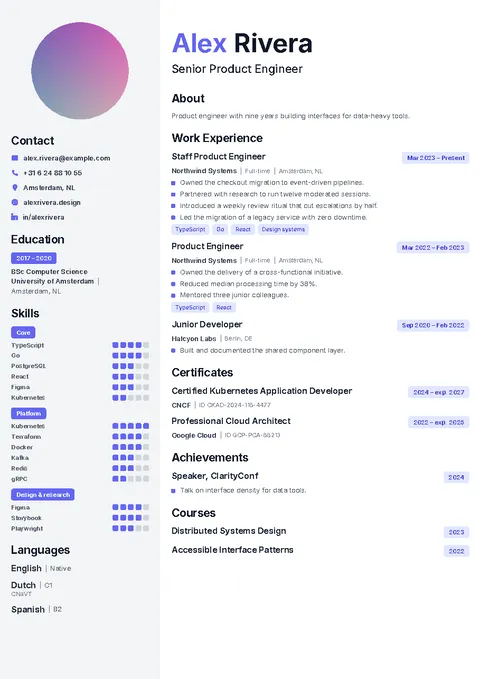
Classic
4 templates
A traditional layout with a photo and a light side column. Two versions show skill levels as bars, and two are dark.
Classic, Classic Bars, Classic Dark, Classic Dark Bars
-
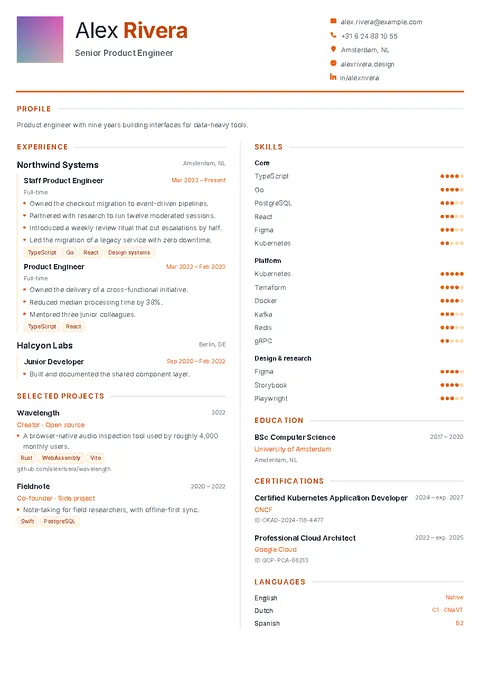
Two column
3 templates
Two equal columns side by side, so one page holds a lot of information and still looks balanced.
Balance, Obsidian, Ember
-
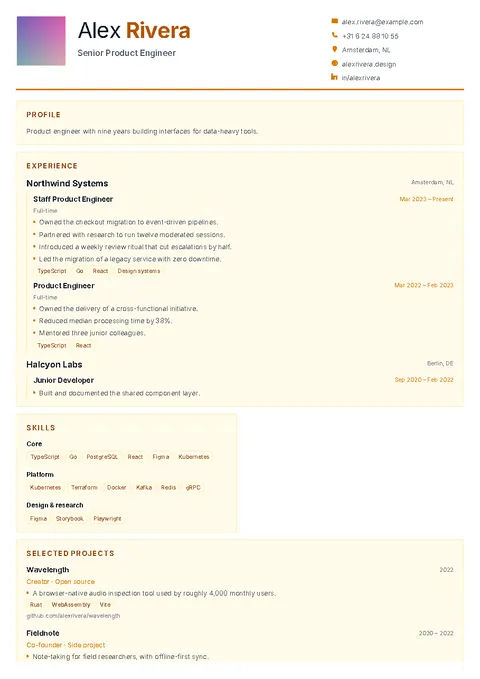
Cards
3 templates
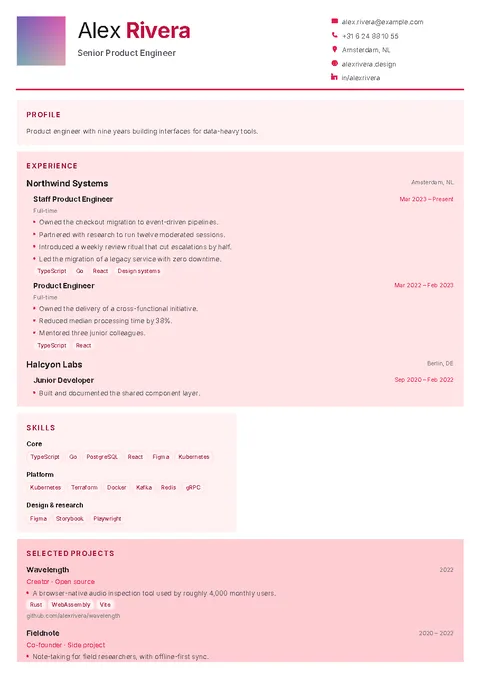
Each section sits in its own block, which gives the page a more graphic look for creative and design roles.
Mosaic, Blueprint, Palette
-
Timeline
2 templates
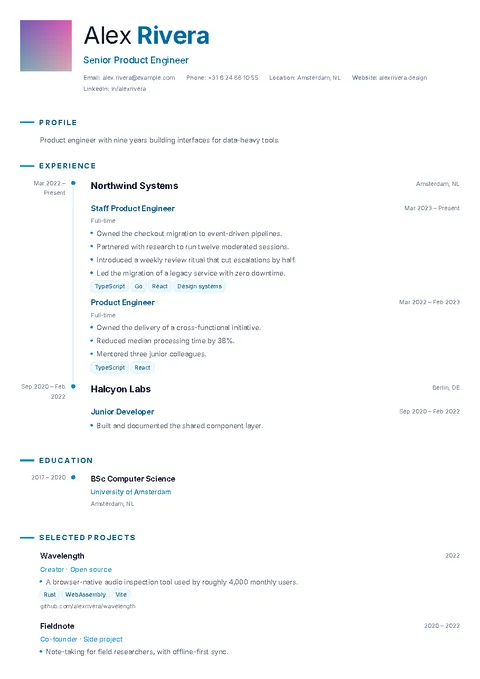
Your roles hang off a line that runs down the page, so the reader sees your career path at a glance.
Chronicle, Meridian Noir
-
Hero
2 templates
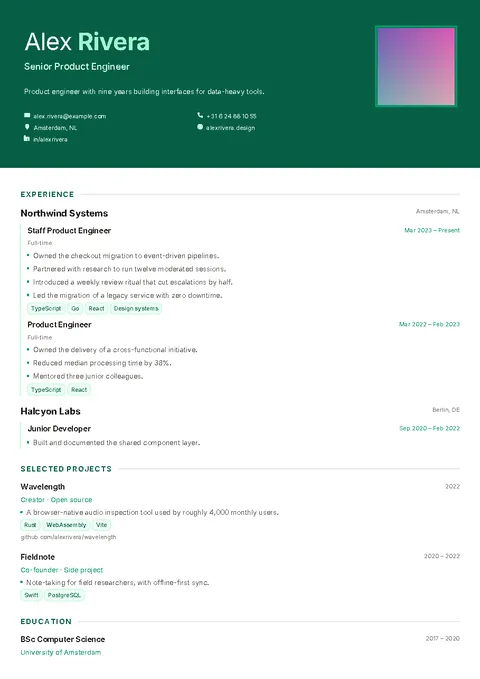
A large opening block with your name, like the cover of a document. Portrait adds your photo to it.
Portrait, Overture
-
Editorial
2 templates
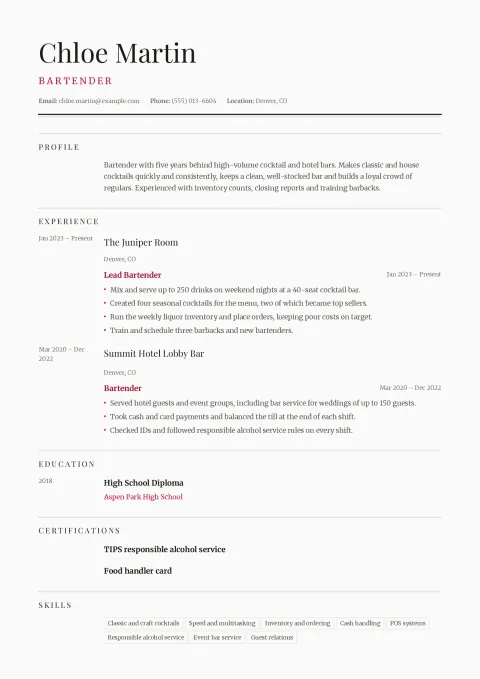
A masthead under a double rule, then each section with its dates in a narrow left column, like a printed magazine page.
Broadsheet, Terminal
How to choose a template
Start from the job you are applying for. Banks, law firms and the public sector tend to expect a calm single-column or classic page. Tech, marketing and hospitality are more open to a sidebar, header or timeline layout. Design roles are where cards and editorial pages make sense.
Then look at how much you have to say. A sidebar or two-column page fits more skills and languages on one page; a single column gives long job descriptions more room. Whether to add a photo depends on the country: it is common in parts of Europe and the Middle East and usually left out in the United States and the UK.
Not sure what to write? See the resume examples by job, or the guide to the right resume format for freshers and experienced candidates.
Free and Pro
The free version includes the starter templates and colors, and lets you make 2 CVs. Pro unlocks every template and color, with no ads and unlimited CVs. You can also unlock a single CV with a one-time purchase.

Try the templates on your phone
Free on Google Play. No account, no blank page.